
Since we’re used to human interactions, chatting with an AI can feel cold and impersonal. Also, in some cases, even lead to frustration. Here are my key design conclusions and recommendations for building an AI-powered chat interface.
The AI is thinking
To improve the experience, it’s ideal to emulate the natural back-and-forth the user would have with a real person. Micro-interactions play a key role in achieving that.
ℹ️Before I go in deep, it is important to know that the following recommendations aren’t meant to hide the fact that the user is interacting with an AI, that would compromise transparency, and we would never consider that a good practice in UX. Instead, the aim is to create a more familiar experience by mimicking interaction patterns people are already used to creating a more comfortable space for them to interact with.
After the user sends a message, it is crucial to give visibility of what is happening on the other side of the screen. An idea is to emulate that the AI is ‘typing’ a response, even if the actual processing time is minimal. A common approach is to display a three-dot animation before the bot reply appears.
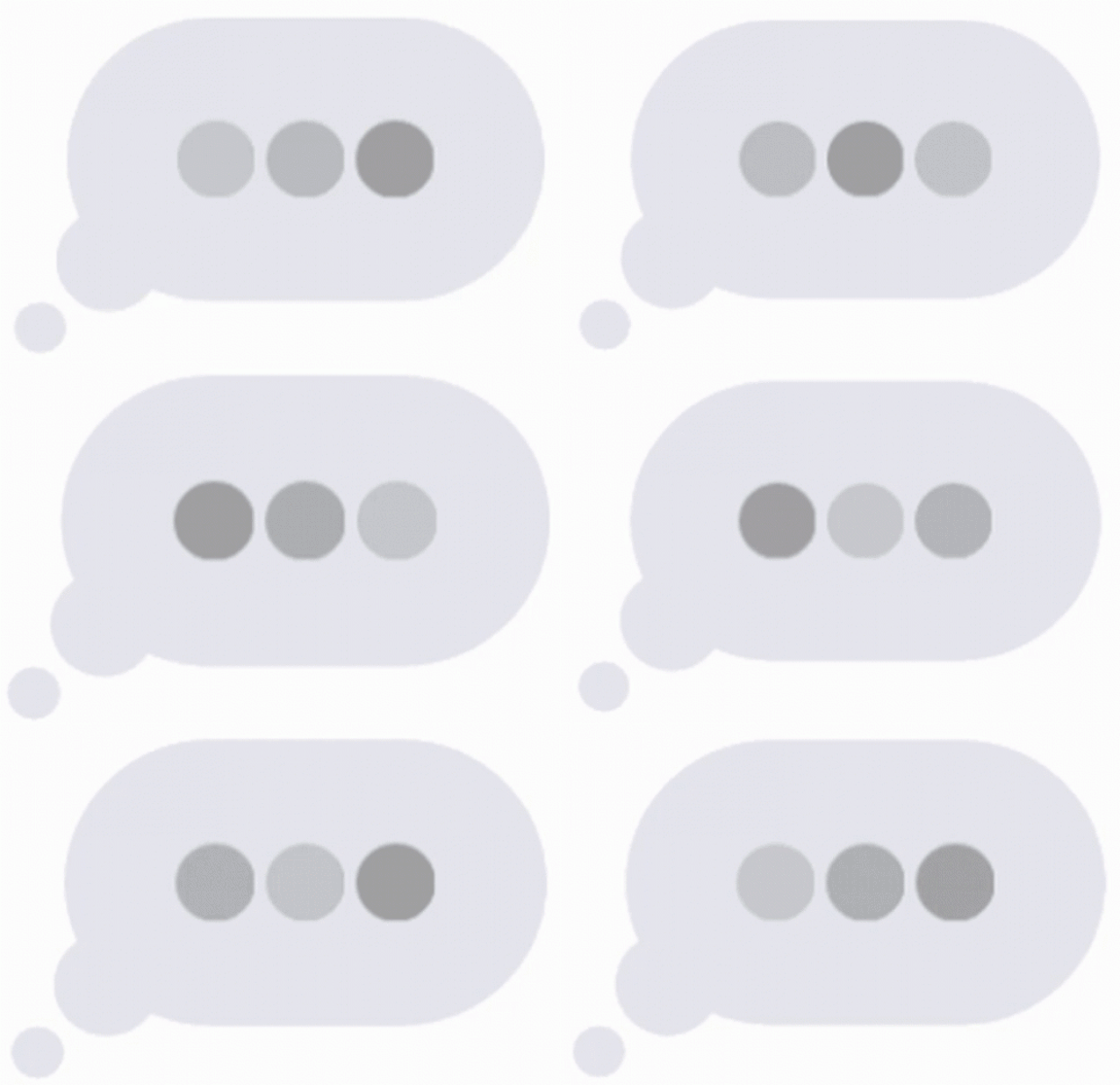
Another advice is to, before the ‘Typing…’ information appears, add one second of delay. It will make the difference because it is perceived as the AI has ‘thought’ the response.
Be explicit
Nothing more frustrating that thinking you are speaking with a real person and suddenly realize that it’s not true.
The concept of "uncanny valley" refers to a phenomenon where robots evoke a sense of discomfort in humans when they appear almost but not quite human. This happens because we have a tendency to find things that are almost human but not quite unsettling or even frightening. We don’t want that to happen within the user experience so we need to be honest them.
For achieving that, give users the clarity of knowing that they are talking with an AI in an explicit way. Something like ‘You’re interacting with an AI’ disclaimer at the beginning of the conversation is enough.
One message at a time, please
Something that it is not user friendly at all (and unavoidable at least for now) is the limitation of the AI bots of generating a response right after the user sends each message. In a real conversation, you can think and send how many messages you want until covering what you want to say to then receive an answer. Nowadays, ChatGPT for example gives you the possibility to stop the AI response and send another message right after your first one. It helps a little bit but you have to be really fast to do it before the AI answer first.
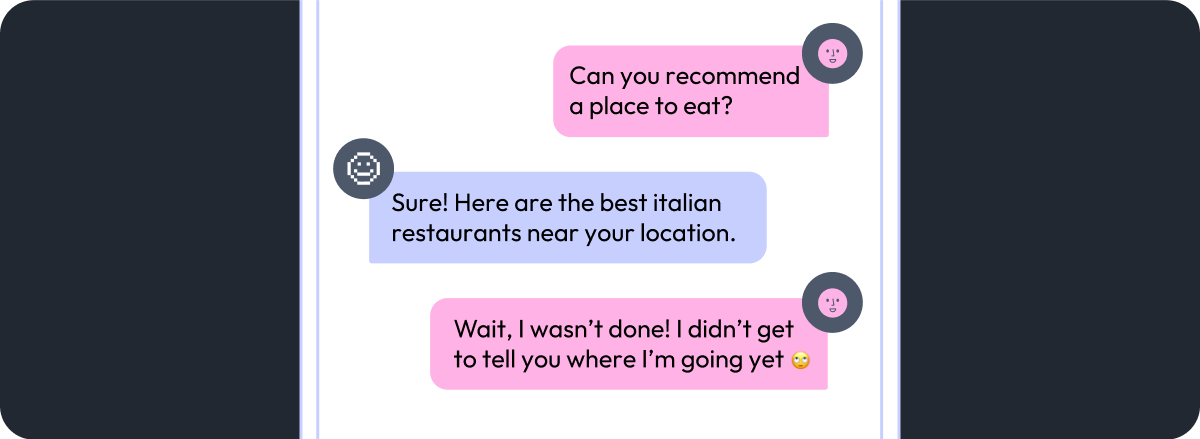
In some cases, users may have already interacted with an AI before and will know what to expect. In this scenarios, with a ‘You’re interacting with an AI’ disclaimer is enough for the users to be aware of it and they will avoid sending several messages instead of a unique one.
On the other hand, if it’s the first time for the user interacting with an AI, that can be little more tricky. You can try disabling the ‘Send’ button right after the user clicks on it. The first time can be frustrating for them but then they will understand the idea of how the AI works.
Available area to prompt
The more straightforward the user's request is from the first prompt, the easier it is for the AI to understand and deliver an accurate response quickly, saving time and reducing the chances of errors during the chat and a lot of back and forth (spoiler alert: this also applies to chats with humans).
Imagine you're designing a travel assistant chat where it would be helpful for the user to input a detailed description of their ideal trip (where they want to go, what kind of experiences they’re looking for, approximate budget, etc.). Since you need the users to provide detailed information, encourage them to do so directly in the first prompt, using an expandable text area with plenty of space.
On the other hand, if you need users to be concise in their requests, a simple one-line text field is likely enough. For example, in a restaurant chatbot where users just want to quickly book a table, you could encourage a simple input like: “Table for two at 7 PM.”
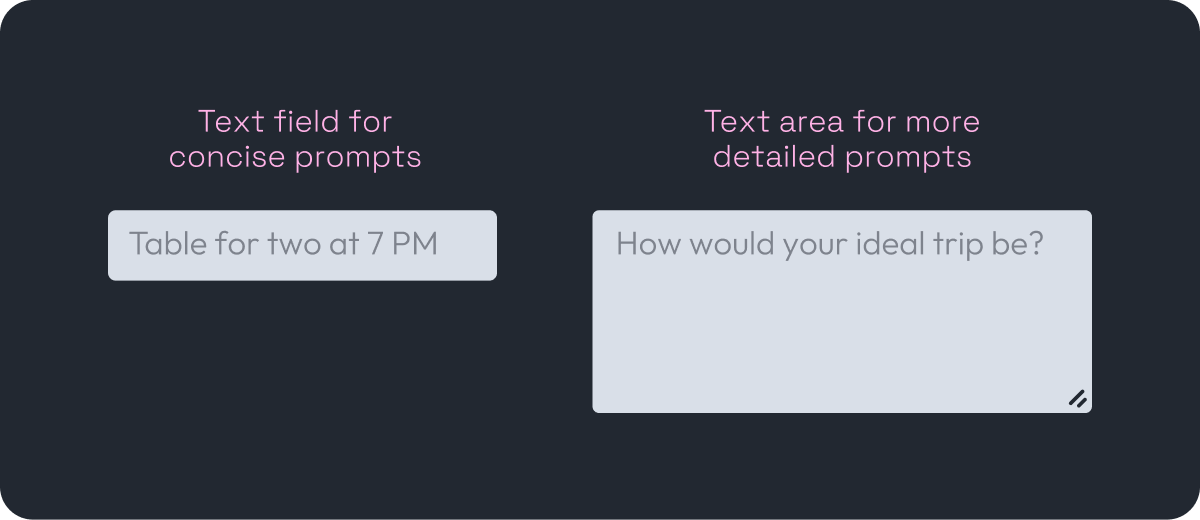
Useful tip: consider showing in the UI an example of what you expect the users to type, to help them provide the information you need more easily.
I need to speak to a human
When building the AI chat, the machine learning team will teach the AI how to provide accurate solutions to the user’s problems based on the specific product. We need to understand that the AI is still learning and that, with time and adjustments, the results will improve.
As for the designer's role, it is important to give users the possibility to talk to a human when the AI can’t solve the problem. To accomplish this, the AI must have the autonomy to hand the job over to a human assistant when it considers it necessary. This approach can be designed in different ways and I’ll leave some recommendations below.
To start with, be honest. There is nothing wrong with not knowing the answer to something, if that can happen to humans, why not to an AI? When that’s the case, define that the AI should inform the user that their request will need further assistance and that the best solution is to hand it over to a human representative. Also, let the user know they should wait a few minutes so that the representative has time to read the previous messages.
As a second recommendation, set a limit on the number of back-and-forth messages that the AI will have with the user before assuming it won’t be able to solve the user’s problem. This prevents users from getting stuck in an endless conversation loop with the AI. The exact number will depend on the specific case, so there’s no single right answer. A good starting point is to think about how long a user typically spends with a human representative to solve similar requests.
For example, if users usually spend around 10 minutes with a human to solve an issue like fixing a payment error or updating personal account information, and your AI has already given 4 or 5 responses without solving it, it might be time to escalate to a human. This is just an initial estimate and you should plan to adjust it once the AI has had some time operating in production.
Final takeaways
These recommendations cover just a portion of what should be considered when designing the chat experience. While the focus here was only on AI-specific interactions, it’s important to follow the already known best practices in UX as heuristics, accessibility issues, clear layouts, appropriate body sizes, etc.
Final but not least, working hand by hand with a UX writer is key to ensure the chat reflects the brand’s tone and voice consistently throughout the experience. Designing a chat tool isn’t just about functionality, it’s about building trust and clarity with every message.